G-Spyke guides / Serpentinite Labs
Record a stratigraphic column with G-Spyke
A measured section is more useful when the column, notes and photographs refer to the same observations. G-Spyke brings these records together on iOS and Android.
Set up the section
Create a project and a column for the section you are measuring. Use a name you can also identify in your notebook and photo records. Record the location and describe the exposure; a GPS position alone does not explain which part of an outcrop was measured.
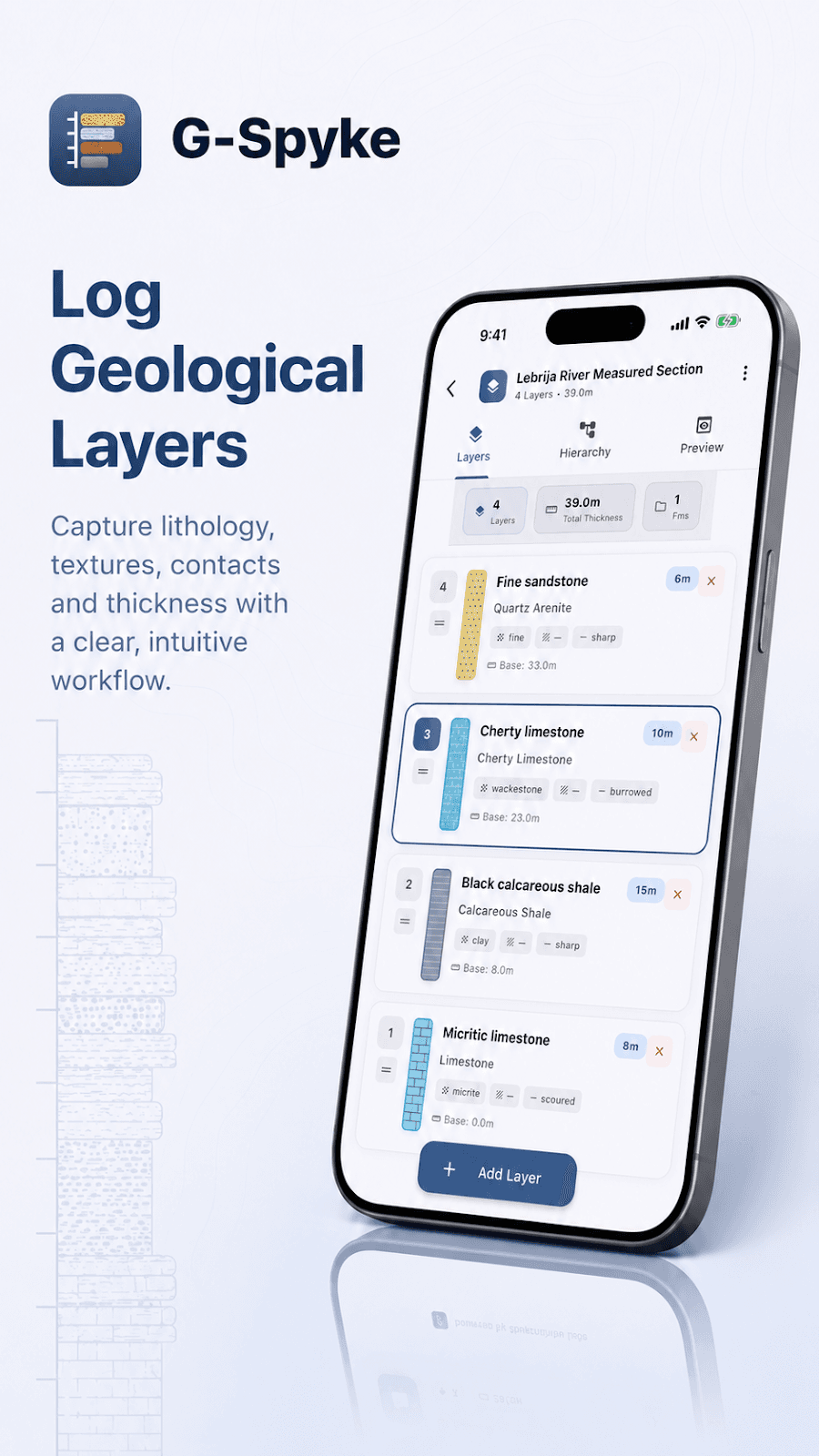
Record layers from the base upwards
Add each layer with its measured thickness and lithology. Describe grain size, textures, sedimentary structures and contacts where you can observe them. Keep interpretations distinct from observations, and note covered or uncertain intervals rather than filling gaps with assumed geology.
Keep photographs with their context
Attach field photographs to the relevant layer. Include a scale in the photograph and explain the view in your notes. A close-up of a contact and a wider view of the exposure answer different questions.
Review before leaving the outcrop
Preview the whole column. Compare the order of layers and total thickness with your field record, then check contacts and missing descriptions. Export a PNG for visual review and a CSV for working with the recorded data. The app organizes observations; geological interpretation remains the geologist’s responsibility.